
|
Deutsch |
English |
||
|
Produktbeschreibung |
Product Description |
||
|
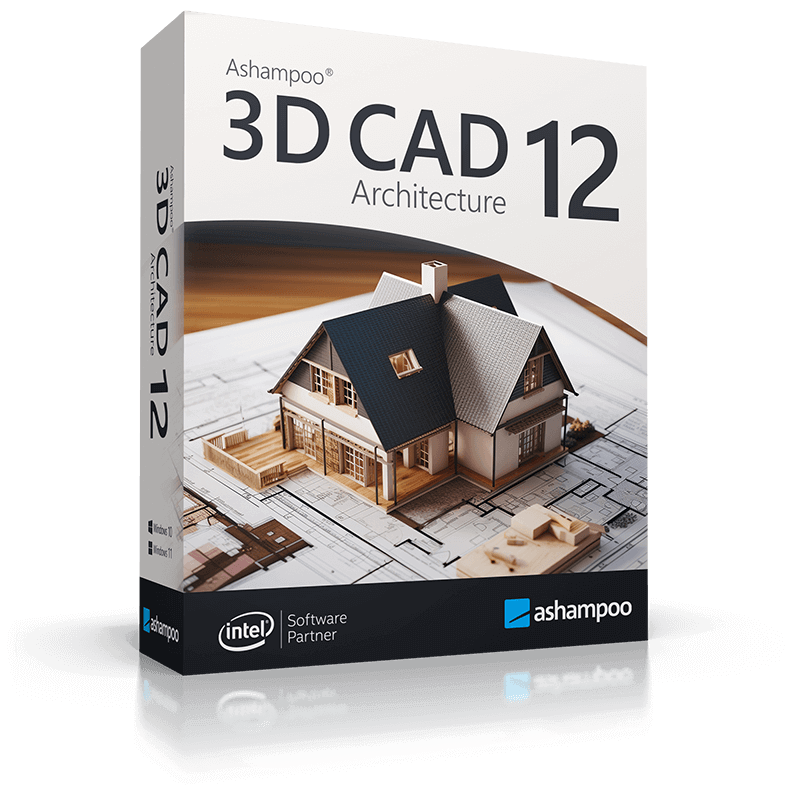
Ashampoo® 3-D CAD Architecture 12 Das eigene Haus planen am PC Gestalte Dein Zuhause virtuell Möchtest Du in aller Ruhe am PC Dein Haus planen? Ashampoo 3D CAD Architecture ist das komfortable Zeichenprogramm für alle, die ihre Visionen Wirklichkeit lassen werden wollen! Mit dem Schritt-für-Schritt-Assistent kommst Du schnell und unkompliziert zu ersten Ergebnissen. Dank 2D-, 3D- und Querschnitts-Übersichten bleibst Du dabei stets im Bild, auf welchem Stand Dein Projekt ist. Erkenne so sofort, was fehlt und wo Du in Deiner Planung noch Änderungen vornehmen musst! Das Programm hilft Dir, diese Schwachpunkte und Engpässe zu erkennen! Ob Hausbau, Umbau oder nur neu Einrichten – sieh schon vorher, wie es später aussieht! Nutze den 3D Hausplaner, der Dich wirklich weiterbringt! Neu: Projekte besser ausrichten, 3D Türen öffnen und mehr Fenster-Objekte Mit den neuen Optionen „Ansicht von der Seite“ und „Ansicht von oben“ wird das Ausrichten und damit auch das Betrachten einfacher und komfortabler. Freue Dich auf Darstellungen, die exakt der ausgewählten Funktion entsprechen! Das Besondere an der 3D-Ansicht ist, wie aussagekräftig und lebensecht sie wirkt. Durch geöffnete Türen werden Räume noch variabler, lebensechter und besonders beim Durchwandern einfach schöner. Du kannst sogar den Öffnungswinkel der Türen selbst bestimmen! Mit dem neuen Ashampoo 3D CAD wird die Gestaltung der Innenräume noch variabler und realistischer. Gestalte z.B. Deine Entwürfe mit Fensterläden und Jalousien für alle gängigen Fensterformate und lasse sie für noch mehr Realismus unterschiedlich geöffnet! Neu in Ashampoo 3D CAD Architecture 11
Photovoltaik – für Aufdach- und Flachdachanlagen Die Konzeption von Photovoltaik-Anlagen darf bei einer guten Projektplanung nicht vergessen werden. Bei Flachdachanlagen arbeitest Du zunächst auf Basis von Verlegebereichen. Innerhalb dieser Bereiche kannst Du Flächen definieren, in denen keine Module verbaut werden dürfen. Anschließend plazierst Du die gesamte Anlage im definierten Bereich mit nur zwei Mausklicks. Du kannst Abstände zwischen Reihen ändern, nach Wunsch drehen oder manuell ausrichten – alles für die perfekte Vorplanung! Leistungsstarke Flächenauswertung Auf vielfachen Wunsch haben wir weitere Flächenauswertungen und dafür passende Ausgabetemplates integriert. Neben den Ausgaben von reinen Wohnflächen stehen nun zahlreiche weitere Flächenauswertungen zur Verfügung: Bodenflächen, Wand- und Deckenflächen, Fassadenflächen und vieles mehr. Die Ausgabe aller Fassadenflächen ist dabei auch bequem als PDF, RTF oder Excel Datei möglich! Fenster-Positionslisten sind ebenso einfach zu realisieren. Objekte ganz einfach spiegeln Zum Spiegeln von dafür vorgesehenen Elementen wie 3D Objekten und 2D Symbolen stehen gleich zwei Werkzeuge zur Verfügung. Gespiegelt werden kann an einer beliebigen Achse oder am Mittelpunkt des Objektes. Spiegeln funktioniert auch bei Mehrfachselektion gleicher Elementtypen, was enorm Zeit sparen kann! Flexibler kann das Arbeiten mit CAD kaum sein! Unerreichte Effizienz Mit der übersichtlichen, thematisch gegliederten Oberfläche ist jede Funktion nur einen Mausklick entfernt. Alle Bedienelemente sind logisch angeordnet und schnell erreichbar. Du hast die Wahl, ob Du eine klassische Werkzeugleiste oder eine moderne Reiter-Ansicht, wie Du sie aus Microsoft Office Produkten kennst, verwenden möchtest. Unkompliziert dank Eingabehilfen und Assistenten Vom Entwurf eines eigenen Dachdesigns bis zur Geländeplanung – Ashampoo 3D CAD unterstützt Dich bei allen komplexen Operationen mit sinnvollen Eingabehilfen und Assistenten. Du konzentriest Dich auf die Inhalte und die Software erledigt den Rest – so wie es sein sollte. Außen- und Inneneinrichtung inklusive Mit dem integrierten Objekt-Katalog hast Du Zugriff auf eine Vielzahl an Bauelementen, Texturen, Materialien und Symbolen. Von Türen, Fenstern, Balkons und Carports bis hin zu Sanitär- und Elektro-Installationen sind alle benötigten Objekte sofort per Mausklick platzierbar. Noch viele Objekte mehr lassen sich ganz einfach von SketchUp und Collada importieren. So machst Du Dir bereits in der Planung ein Bild des Endprodukts – bis hin zum letzten Detail! Baumaterial-Hub mit informierten CAD-Texturen mtextur.com [.ch/.de/.eu] bietet Architekten, Designern und Planern die Möglichkeit, sich kostenlos über Baumaterialien und deren Hersteller zu informieren. Die gefundenen Materialien lassen sich als hochauflösende CAD- und BIM-Texturen downloaden, um sie in der eigenen Planungssoftware direkt einzusetzen. Anhand von Suchkriterien wie Materialgruppe, Farb- und Anwendungsbereich, Hersteller und Produktlinie kann gezielt nach diversen Baumaterialien gesucht werden. Weiterführende Links, Referenzbeispiele und Materialinfo-PDFs ergänzen das Angebot. Mit über 10000 Materialien ist mtextur der weltweit größte Hub für reale CAD-Texturen (online seit 2006). Daraus ergibt sich im BIM-Zeitalter (Building Information Modeling) eine praktische Vereinfachung im Planungsalltag. |
Ashampoo® 3-D CAD Architecture 12 Plan your future house at home on your PC Design your home virtually Would you like to plan and design your new house at home and in peace? Ashampoo 3D CAD Architecture is for all who want to make their visions a reality. The integrated step-by-step wizard will get you reliable results fast. 2D, 3D and cross-section views help you keep an eye on your project and instantly spot missing parts or sections that need more work. The program helps you identify and eliminate weak points and bottlenecks! Whether you’re building or redecorating a house – visualize in advance what the finished project will look like! Get yourself the home design and 3D construction software that will get you results!
New: Better viewpoint alignment, openable 3D doors and more window objects The new side and top views make project inspections much easier and more comfortable by limiting perspective adjustments. The magic of 3D is that everything looks stunningly realistic and true to life. Openable doors add more realism to your rooms, especially during virtual tours. You can even individually adjust open door angles! The new Ashampoo 3D CAD adds more flexibility and customizability to your interior designs. For example, you can now use shutters and blinds with all common window formats and even leave them open for added realism!
New in Ashampoo 3D CAD Architecture 11
Photovoltaic installations – rooftop arrays and flat roofs No good project design should be without photovoltaic installations. For roof-mounted system, you can already specify their layout, select modules from the object catalog and their placement during the setup phase. For flat roofs, you can simply specify which parts will be or will not be used for photovoltaic elements during the design phase. When you’re done, you can place the entire installation in just two clicks and adjust distances between rows of panels or rotate and realign them – it’s the perfect approach to preliminary planning! Powerful area analysis Due to popular demand, we have added additional area analysis and calculation features plus suitable output templates. Aside from living space you can now also process floor space, walls, ceilings, facades and many other areas. Facade areas can also be easily exported to PDF, RTF or Excel files! Position lists for windows are also no longer a problem. Mirror objects with ease Two powerful tools will help you mirror 3D and 2D objects and symbols either across any axis or their center points. This also works with multi-selections of the same element type which can save you a lot of time! CAD software doesn’t get any more flexible than this!
Unmatched efficiency The clean, thematically structured user interface gives you 1-click access to all features. Everything is logically arranged and easily accessible. You decide whether you’ll use classic toolbars or the modern ribbons you know from Microsoft Office products. Input aids and wizards for straightforward handling From roof designs to terrain modeling – Ashampoo 3D CAD provides useful input aids and wizards for all complex operations. You focus on the contents and the software does the rest – as it should be.
Exterior and interior design elements included The built-in object catalog gives you access to various building components, textures, materials and symbols. It takes only a single click to place doors, windows, balconies, carports as well as sanitary and electrical installations in your designs. You can import additional objects from SketchUp and Collada. This gives you a detailed view of the finished project already in the planning phase – down to the last details! Building material hub with „informed“ CAD textures mtextur.com provides architects, designers and planners with details on building materials and their manufacturers for free. Found materials are downloadable as high resolution CAD and BIM textures for immediate use with your planning software of choice. You may also search for specific building materials based on material group, color, use case, manufacturer or product line. Links to additional details, reference examples and PDFs with details on various materials are also available. With over 10k informed materials, mtextur is the biggest hub for real CAD textures (online since 2006) world-wide. This will truly simplify all of your planning in the age of BIM (Building Information Modeling).
|
||
|
Technische Details |
Technical details |
||
|
Herstellergarantie: |
Keine Garantie |
Manufacturer’s Warranty: |
No guarantee |
|
Kategorie: |
Backup / Recovery |
Category: |
Backup / Recovery |
|
Plattform: |
Windows |
Platform: |
Windows |
|
Unterstütze Plattform: |
Windows® 11, Windows® 10 Systeme mit ARM Prozessoren werden nicht unterstützt. |
Supported Platform: |
Windows® 11, Windows® 10 Systems with ARM processors are not supported. |
|
Voraussetzungen: |
Jedes Gerät, das die oben aufgeführten Betriebssysteme unterstützt. |
Requirement: |
Any device that supports the operating systems listed above. |
|
Sprache: |
Deutsch, English, Nederlands, Français, Magyar, Pусский, Polski, Español, Türkçe, Slovenščina, British English |
Language: |
Deutsch, English, Nederlands, Français, Magyar, Pусский, Polski, Español, Türkçe, Slovenščina, British English |
|
Sonstiges: |
Zur Aktivierung des Programmes ist eine Internetverbindung erforderlich. Die Programm-Lizenz wird in regelmäßigen Abständen überprüft. Es werden Administrationsrechte auf dem System benötigt, um das Programm einsetzen zu können. |
Miscellaneous: |
An Internet connection is required to activate the program. The program license is verified repeatedly at regular intervals. Full administrative rights are required to use the program.
|
|
Links: Downloadlink: Supportlink: |
|||
|
Die technischen Daten werden uns von dritter Seite zur unverbindlichen Information zur Verfügung gestellt. Wir übernehmen keine Haftung für Fehler dieser Daten. |
|||
Ashampoo 3D CAD Architecture 12 (1 PC – perpetual) ESD
€ 17,99
inkl. MwSt.
11 vorrätig
Rezensionen
Es gibt noch keine Rezensionen.